Setup Village Clusters
|
Index
|
On the 'Setup Village Clusters' page, the teacher can define villageclusters, villages and farmers:
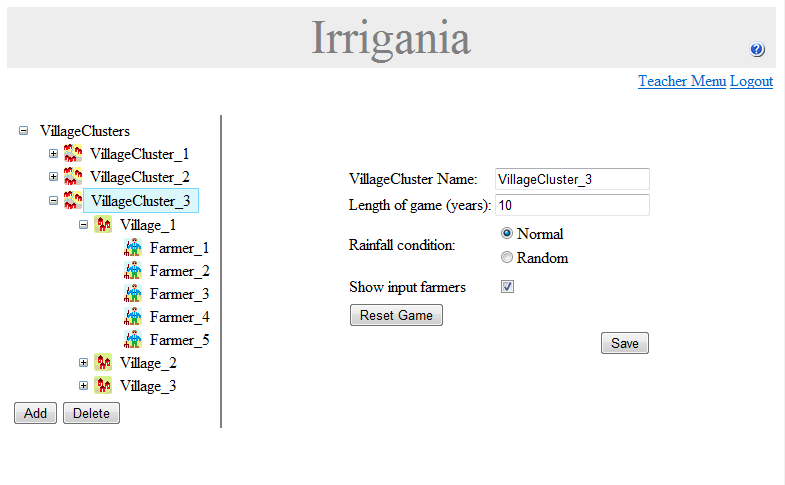
On the left side of the page, a treeview shows the villageclusters, villages and farmers. Items can be easily added and deleted by means of the 'Add' and 'Delete' buttons.
Each villagecluster behaves as a separate game. A villagecluster contains villages, and villages are inhabited by farmers. All farmers in one village share the water resources within that village. Villages in one villagecluster share the same rainfall conditions, but are furthermore independant.
When a villagecluster is selected in the treeview (like in the image above), the right side of the page shows the villagecluster properties. The name, length of the game and rainfall condition can be changed. (When selecting the 'Random' rainfall option, years are randomly dry, normal or wet.) Furthermore, the teacher can decide if farmers will be able to see each others input from the previous year by selecting the 'Show input farmers' checkbox. When a game has finished, it can be reset by means of the 'Reset Game' button.
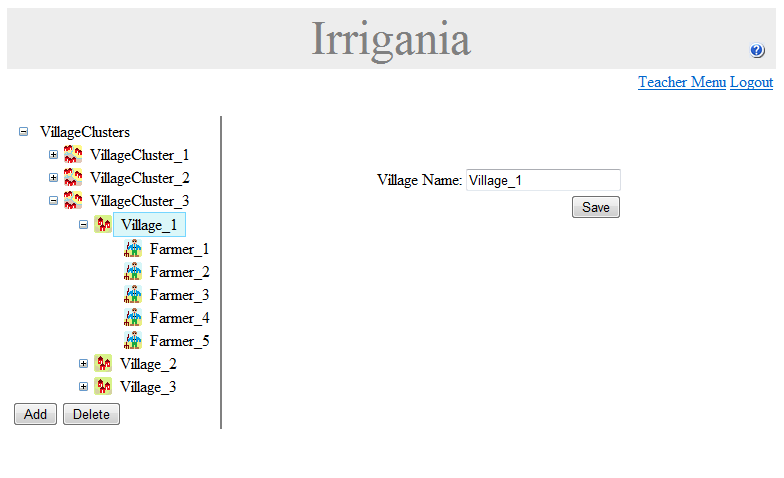
When a village is selected in the treeview (see image below), the name of the village can be changed on the right side of the page.
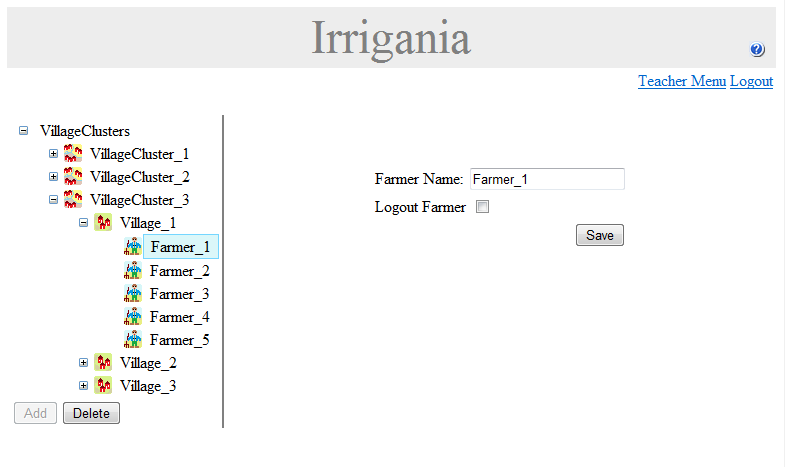
In case a farmer is selected in the treeview, the corresponding farmer properties are shown on the right side of the page. The name of the farmer can be changed and there is the option to logout the farmer.
When villageclusters and villages are created, they contain a default number of villages and farmers respectively. These default values can be changed on the Edit Teacher Settings page.