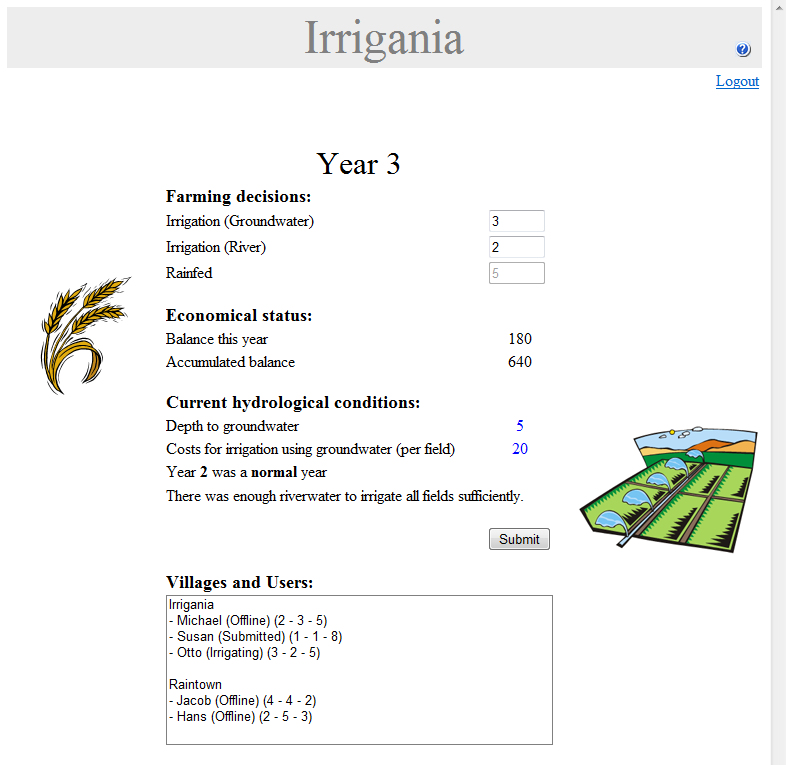
The game page looks as following (there might be small differences, based on game setup and user decisions):
The different elements on the game page will be described below.
Year
The current year is mentioned on top of the page. The default length of a game is 10 years, but this might have been changed by the teacher.
Farming decisions
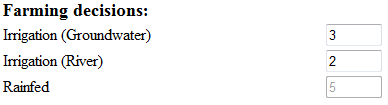
The user should enter his/her farming decision values for the coming year. Each farmer has 10 fields in total. He/she can choose from the following list how to water each of the fields.
Irrigation (Groundwater)
Irrigation (River)
Rainfed
So, in the example, the farmer chooses to irrigate 3 fields with groundwater, 2 fields with river water, whereas 5 fields will be rainfed. Be aware that farmers in one village share water resources.
Economical status
The economical status gives an overview of this year's balance, and the accumulated balance of the farmer.
Current hydrological status
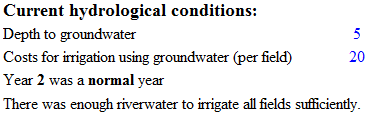
The current hydrological status might help the farmer taking his/her farming decisions by informing the farmer about:
The current depth of the groundwater
The current costs for irrigation using groundwater
If the last computed year was a dry, normal or wet year
If there was enough riverwater during the last computed year
Villages and Users
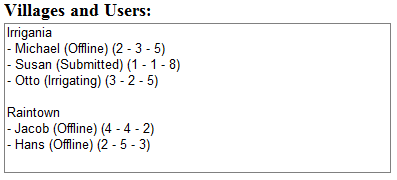
All villages and users involved in the game are listed in the villages and users box. After the name of each farmer, his/her status is mentioned between brackets. There are four different status values possible:
Offline: the user is offline.
Irrigating: the user still needs to submit his/her farming decisions for the coming year.
Submitted: the user has submitted his/her farming decision values. He/she has to wait till all farmers have submitted their values.
Finished: the game has finished.
From the second year on, after the status, last year's farming decisions are mentioned between brackets. The order is ('irrigation (groundwater)' - 'irrigation (river)' - 'rainfed'). These values might give some insight in the strategy of the other farmers.
Results
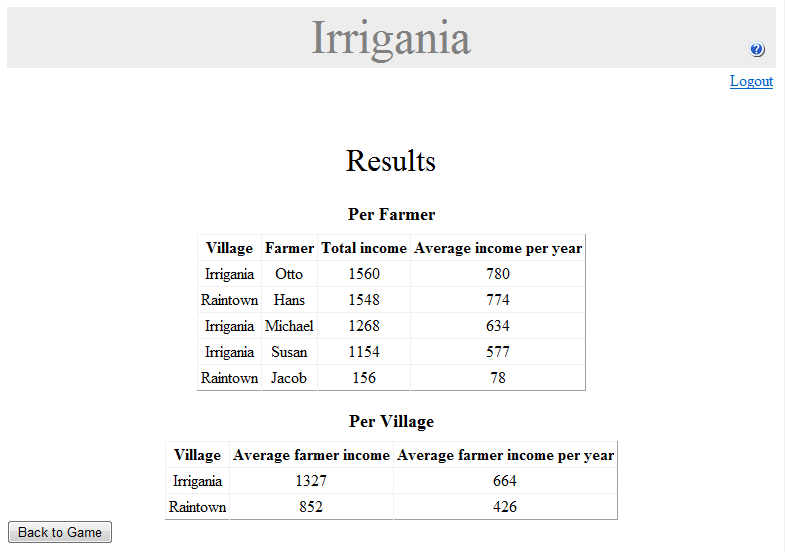
Once the game has finished, the 'Show Results' button appears. Clicking the button opens the 'Results Page':
The results page contains two tables. The first table lists the farmers, together with their accumulated balance and average income per year. The results are sorted in descending order, based on the accumulated balance value. The second table contains the villages, listing the average income per farmer and the average income per farmer per year.